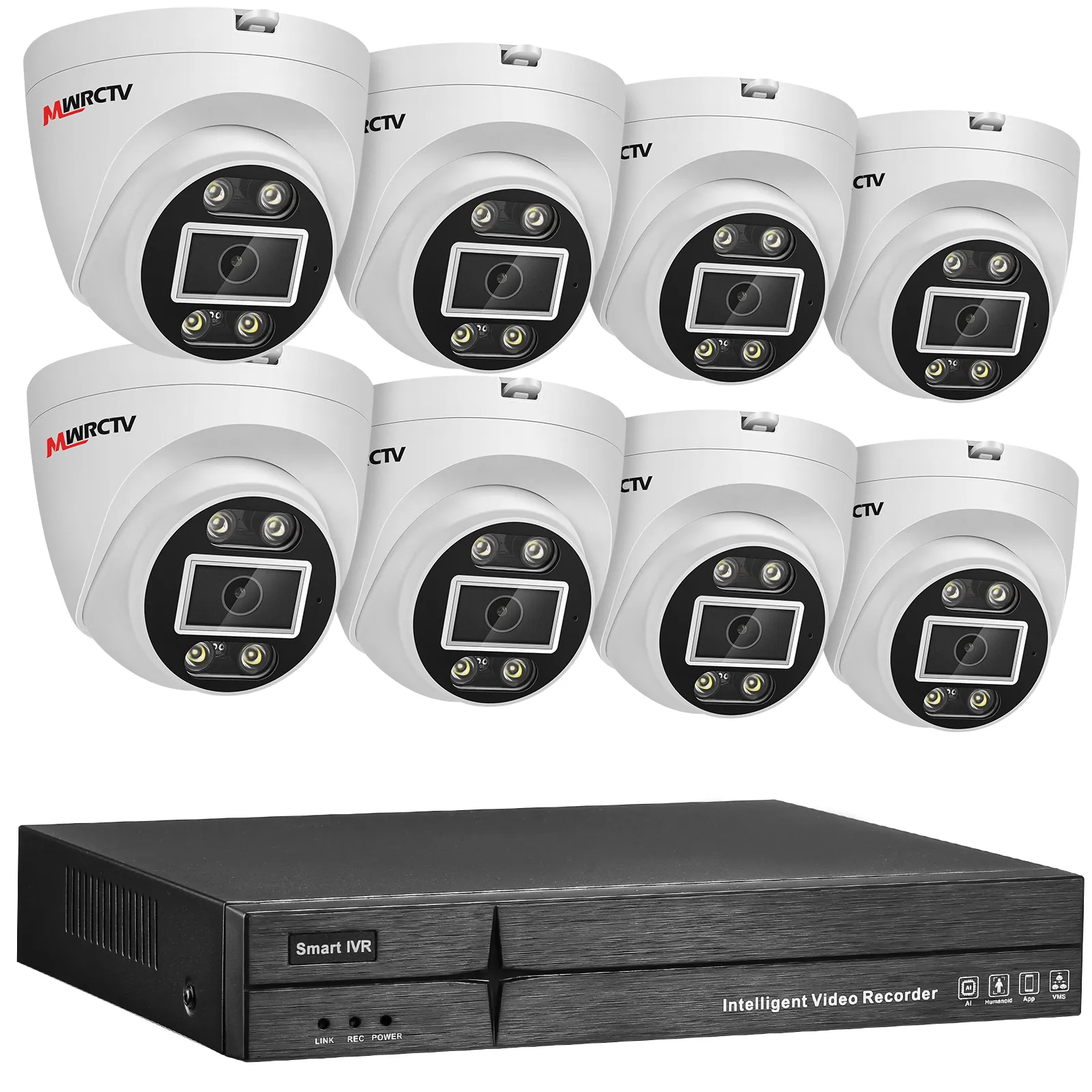
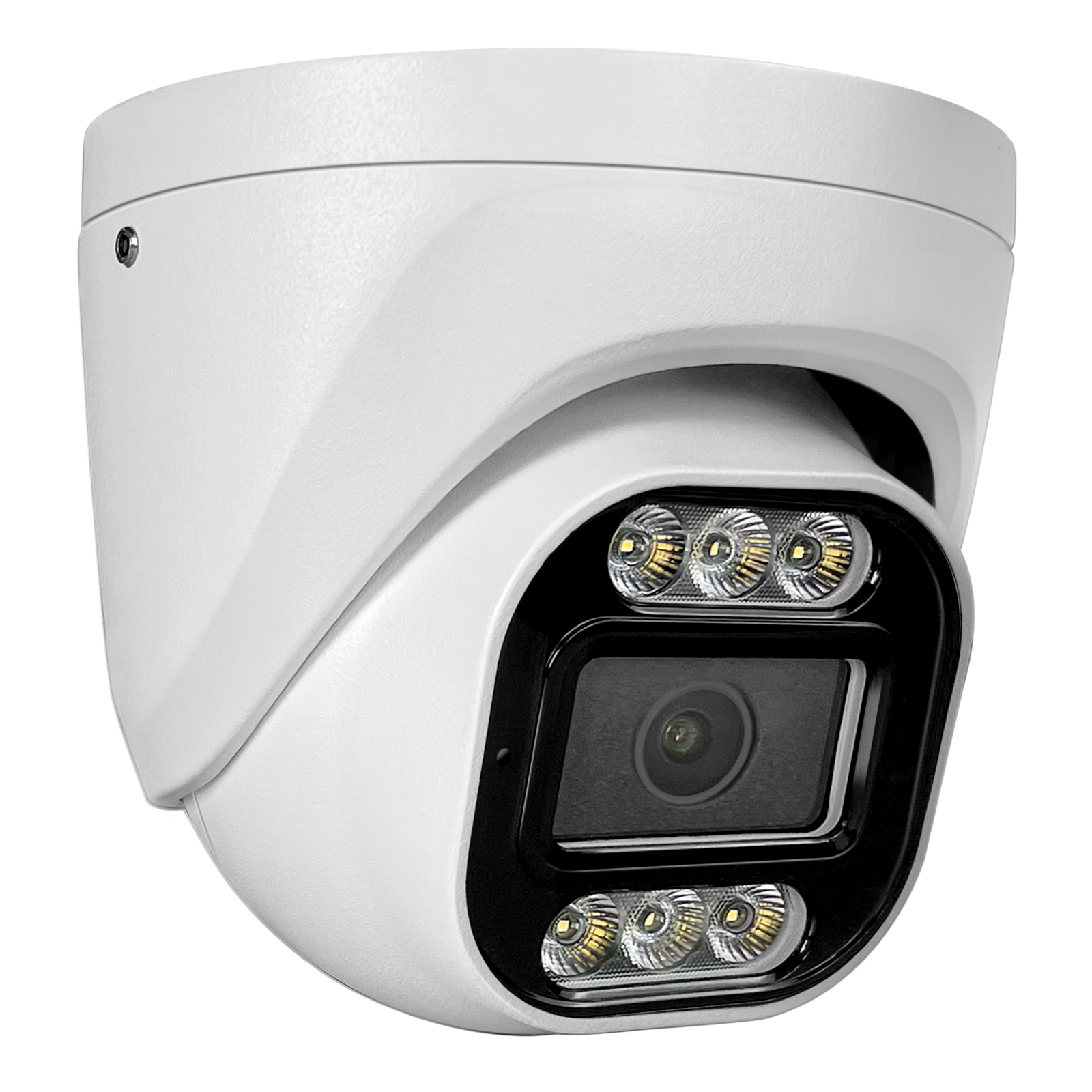
When you’re building a POE security camera system for your home, the POE cameras get most of the attention—but the NVR (Network Video Recorder) is the unsung hero. The NVR is where you store your camera footage, manage your system, and access your recordings remotely. Choosing the wrong NVR can ruin your entire POE setup, even if you have the best POE cameras (like MWRCTV 4MP/8MP models we covered in blog 4MP vs 8MP POE Cameras: Which One Is Better for Home Security). If you’re confused about how to choose the right POE NVR—what features to look for, how much storage you need, or which NVR works with your POE cameras—this guide is for you. We’ll break down the key factors to consider when selecting a POE NVR, focus on what matters most for home security, and show you why MWRCTV POE NVRs are the perfect match for your POE camera system.
First: What Is a POE NVR, and Why Does It Matter?
A POE NVR is a specialized recorder designed to work with POE security cameras. Unlike standard NVRs, POE NVRs have built-in POE ports—this means you can connect your POE cameras directly to the NVR with a single Ethernet cable (no separate POE switch needed). The NVR provides power to the cameras and stores all the footage they capture, making your entire POE system simpler and more streamlined.
Choosing the right NVR is critical because it determines: how many cameras you can connect, how much footage you can store, how easily you can access your recordings, and how reliable your system is. A low-quality NVR can lead to lost footage, slow remote access, or compatibility issues with your POE cameras.
Key Factors to Choose the Right POE NVR (For Home Use)
When shopping for a POE NVR, focus on these 5 factors—they’ll help you pick an NVR that fits your POE camera system and home security needs, without overspending on unnecessary features.
1. Number of POE Ports (Match Your Camera Count)
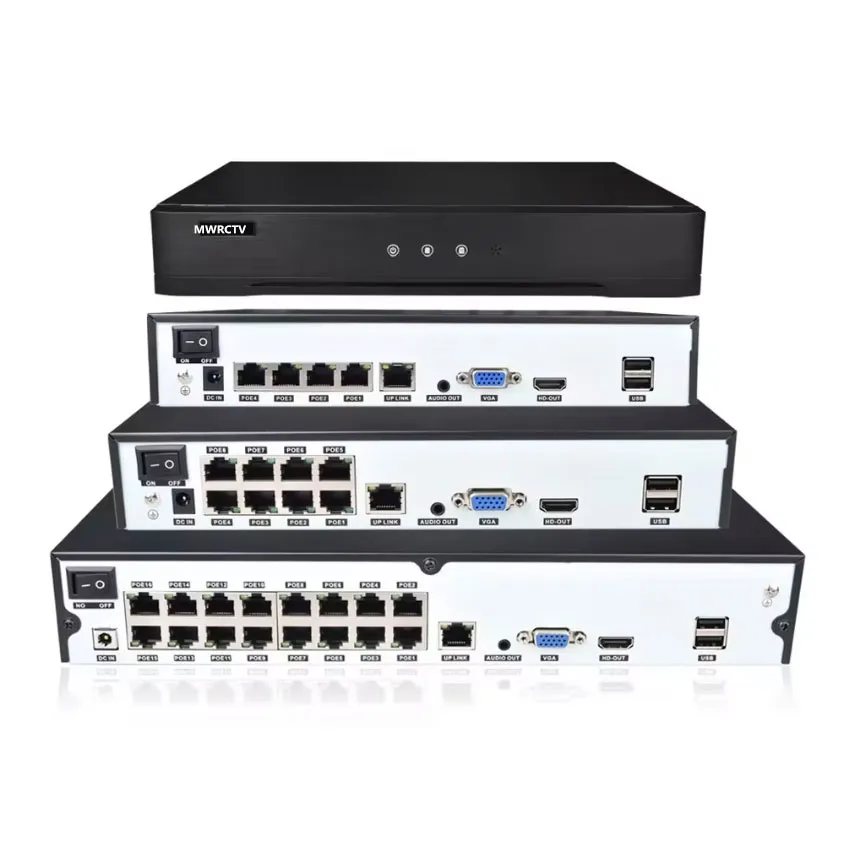
The most important factor is the number of POE ports on the NVR—this determines how many POE cameras you can connect directly to the NVR (no extra POE switch needed). Here’s how to choose:
For small homes (1-4 cameras): Choose a 4-port POE NVR. This is perfect for apartments, small houses, or anyone who only needs to monitor entry points (front door, back door, porch).
For medium to large homes (5-8 cameras): Choose an 8-port POE NVR. This works for homes with a backyard, garage, or multiple rooms to monitor.
For large properties (9+ cameras): Choose a 16-port POE NVR (or use a POE switch with a smaller NVR to expand).
Pro tip: MWRCTV POE NVRs come in 8-port, and 16-port ,16CH,36CH options, so you can choose the perfect size for your camera count. They’re also expandable—if you add more cameras later, you can connect a POE switch to the NVR to add more ports.
2. Storage Capacity (How Much Footage Do You Need to Store?)
The NVR’s storage capacity determines how long you can keep your camera footage before it’s overwritten. Storage needs depend on your camera resolution (4MP vs 8MP, as we covered in Blog 4MP vs 8MP POE Cameras: Which One Is Better for Home Security) and whether you record 24/7 or only on motion.
4MP POE Cameras: 1 camera records ~20-30GB per day (24/7). For 4 cameras, you’ll need ~80-120GB per day.
8MP POE Cameras: 1 camera records ~40-60GB per day (24/7). For 4 cameras, you’ll need ~160-240GB per day.
Recommendation for home use: Choose an NVR with at least 1TB of storage (1000GB) for 4-6 cameras (4MP) or 2TB for 4-6 cameras (8MP). This lets you store footage for 7-30 days (depending on resolution and recording mode).
MWRCTV POE NVRs support removable hard drives (HDD) and expandable storage—you can easily upgrade the hard drive to 4TB or more if you need to store footage for longer.
3. Compatibility (Make Sure It Works with Your POE Cameras)
Not all POE NVRs work with all POE cameras—this is a common mistake beginners make. To avoid compatibility issues:
Choose an NVR from the same brand as your POE cameras. MWRCTV POE NVRs are 100% compatible with MWRCTV 4MP/8MP POE cameras—no setup headaches, just plug and play.
Check the camera resolution: Make sure the NVR supports your camera’s resolution (4MP, 8MP, etc.). All MWRCTV POE NVRs support 4MP, 8MP, and lower resolutions, so you can mix and match cameras if needed.
Check POE standard: Most home POE cameras use 802.3af/at (the standard POE protocol)—make sure your NVR supports this (all MWRCTV POE NVRs do).
4. Remote Access Features (Access Footage Anywhere)
One of the biggest benefits of a POE system is remote access—being able to view your footage from your phone or computer (like we covered in Blog How to Connect MWRCTV POE Camera System to Phone (Remote Access Guide)). When choosing an NVR, make sure it offers: •Mobile app support: Look for an NVR that works with a user-friendly app for iOS and Android. •Easy setup: The NVR should let you connect to the app quickly (via QR code or manual add) without complicated network settings. •Remote playback: Ability to view past footage, take screenshots, and record clips from your phone. MWRCTV POE NVRs are designed for easy remote access—scan the QR code on the NVR, download the app, and you’re ready to monitor your home from anywhere.
5. Additional Features (Nice-to-Have, But Useful)
For home security, these extra features can make your POE system more convenient and effective:
Motion Detection Alerts: The NVR sends push notifications to your phone when motion is detected (works with your POE cameras’ motion sensors).
Night Vision Support: Ensures clear footage playback of night vision recordings (all MWRCTV NVRs support this).
HDMI Output: Connect the NVR to a monitor/TV to view footage locally (perfect for checking recordings without a phone/computer).
Weatherproof Design: If you’re installing the NVR outdoors (rare for home use), choose a weatherproof model—MWRCTV NVRs are indoor-use only, but durable and compact.
Why MWRCTV POE NVRs Are Perfect for Home POE Systems
MWRCTV POE NVRs are designed specifically for home users—they’re easy to set up, reliable, and perfectly compatible with MWRCTV POE cameras. Here’s why they stand out:
Affordable & Durable: Competitive prices, built to last, with 24/7 customer support if you need help.
Final Checklist: Choose the Right POE NVR in 5 Steps
Count your POE cameras and choose an NVR with enough POE ports (4/8/16 ports).
Calculate your storage needs (based on camera resolution) and choose an NVR with enough storage (or expandable storage).
Ensure the NVR is compatible with your POE cameras (choose the same brand, like MWRCTV).
Check for remote access features (mobile app, QR code setup).
Pick additional features that matter to you (motion alerts, HDMI output).
Final Thoughts
MWRCTV POE NVRs are designed to take the guesswork out of choosing an NVR—they’re compatible with our POE cameras, easy to set up, and packed with the features home users need. Whether you have 2 cameras or 10, there’s a MWRCTV POE NVR that’s perfect for you.
Ready to choose the right MWRCTV POE NVR for your POE camera system? Browse our selection of POE NVRs and all-in-one POE kits today, or contact our customer support team if you have any questions.



How to Choose the Right NVR for Your POE Camera System
When you’re building a POE security camera system for your home, the POE cameras get most of the attention—but the NVR (Network Video Recorder) is the unsung hero. The NVR is where you store your camera footage, manage your system, and access your recordings remotely. Choosing the wrong NVR can ruin your entire POE setup, even if you have the best POE cameras (like MWRCTV 4MP/8MP models we covered in blog 4MP vs 8MP POE Cameras: Which One Is Better for Home Security).
If you’re confused about how to choose the right POE NVR—what features to look for, how much storage you need, or which NVR works with your POE cameras—this guide is for you. We’ll break down the key factors to consider when selecting a POE NVR, focus on what matters most for home security, and show you why MWRCTV POE NVRs are the perfect match for your POE camera system.
First: What Is a POE NVR, and Why Does It Matter?
A POE NVR is a specialized recorder designed to work with POE security cameras. Unlike standard NVRs, POE NVRs have built-in POE ports—this means you can connect your POE cameras directly to the NVR with a single Ethernet cable (no separate POE switch needed). The NVR provides power to the cameras and stores all the footage they capture, making your entire POE system simpler and more streamlined.
Choosing the right NVR is critical because it determines: how many cameras you can connect, how much footage you can store, how easily you can access your recordings, and how reliable your system is. A low-quality NVR can lead to lost footage, slow remote access, or compatibility issues with your POE cameras.
Key Factors to Choose the Right POE NVR (For Home Use)
When shopping for a POE NVR, focus on these 5 factors—they’ll help you pick an NVR that fits your POE camera system and home security needs, without overspending on unnecessary features.
1. Number of POE Ports (Match Your Camera Count)
The most important factor is the number of POE ports on the NVR—this determines how many POE cameras you can connect directly to the NVR (no extra POE switch needed). Here’s how to choose:
Pro tip: MWRCTV POE NVRs come in 8-port, and 16-port ,16CH,36CH options, so you can choose the perfect size for your camera count. They’re also expandable—if you add more cameras later, you can connect a POE switch to the NVR to add more ports.
2. Storage Capacity (How Much Footage Do You Need to Store?)
The NVR’s storage capacity determines how long you can keep your camera footage before it’s overwritten. Storage needs depend on your camera resolution (4MP vs 8MP, as we covered in Blog 4MP vs 8MP POE Cameras: Which One Is Better for Home Security) and whether you record 24/7 or only on motion.
Recommendation for home use: Choose an NVR with at least 1TB of storage (1000GB) for 4-6 cameras (4MP) or 2TB for 4-6 cameras (8MP). This lets you store footage for 7-30 days (depending on resolution and recording mode).
MWRCTV POE NVRs support removable hard drives (HDD) and expandable storage—you can easily upgrade the hard drive to 4TB or more if you need to store footage for longer.
3. Compatibility (Make Sure It Works with Your POE Cameras)
Not all POE NVRs work with all POE cameras—this is a common mistake beginners make. To avoid compatibility issues:
4. Remote Access Features (Access Footage Anywhere)
One of the biggest benefits of a POE system is remote access—being able to view your footage from your phone or computer (like we covered in Blog How to Connect MWRCTV POE Camera System to Phone (Remote Access Guide)). When choosing an NVR, make sure it offers:
•Mobile app support: Look for an NVR that works with a user-friendly app for iOS and Android.
•Easy setup: The NVR should let you connect to the app quickly (via QR code or manual add) without complicated network settings.
•Remote playback: Ability to view past footage, take screenshots, and record clips from your phone.
MWRCTV POE NVRs are designed for easy remote access—scan the QR code on the NVR, download the app, and you’re ready to monitor your home from anywhere.
5. Additional Features (Nice-to-Have, But Useful)
For home security, these extra features can make your POE system more convenient and effective:
Why MWRCTV POE NVRs Are Perfect for Home POE Systems
MWRCTV POE NVRs are designed specifically for home users—they’re easy to set up, reliable, and perfectly compatible with MWRCTV POE cameras. Here’s why they stand out:
Final Checklist: Choose the Right POE NVR in 5 Steps
Pick additional features that matter to you (motion alerts, HDMI output).
Final Thoughts
MWRCTV POE NVRs are designed to take the guesswork out of choosing an NVR—they’re compatible with our POE cameras, easy to set up, and packed with the features home users need. Whether you have 2 cameras or 10, there’s a MWRCTV POE NVR that’s perfect for you.
Ready to choose the right MWRCTV POE NVR for your POE camera system? Browse our selection of POE NVRs and all-in-one POE kits today, or contact our customer support team if you have any questions.